Git (experimental)
Warning
This feature is in an experimental phase. If you decide to use it please make backups before you activate the feature. We strongly advise to use it on development environments or environments that are not critical for your daily operations.
Enabling the feature
To enable the feature you need to activate the spring boot profiles: prod, api-docs and git-integration. Using the environment variable:
SPRING_PROFILES_ACTIVE=prod,api-docs,git-integration
To run this profile correctly more environment variables need to be set:
AST_CONTROL_PANEL_GIT_REPO_URL=https://github.com/your-repository.git
AST_CONTROL_PANEL_GIT_BRANCH_NAME=master
AST_CONTROL_PANEL_GIT_ACCESS_TOKEN=personal-access-token
| Property | Description |
|---|---|
| AST_CONTROL_PANEL_GIT_REPO_URL | Url of the repository which will be cloned |
| AST_CONTROL_PANEL_GIT_BRANCH_NAME | Branch which will be cloned |
| AST_CONTROL_PANEL_GIT_ACCESS_TOKEN | Access token used to access repository. It has to be a Personal Access Token |
We advise to store the access token as a secret. We also advise using a technical user for the token. More information how to set up secrets can be found in the Setting up environment variables section.
Changes to application behavior
After the activation of the git profile there are several changes to the application UI. The side panel now contains the repository, branch and last sync indicator in the bottom of the sidebar. The application pulls changes from the remote repository every 2 minutes.
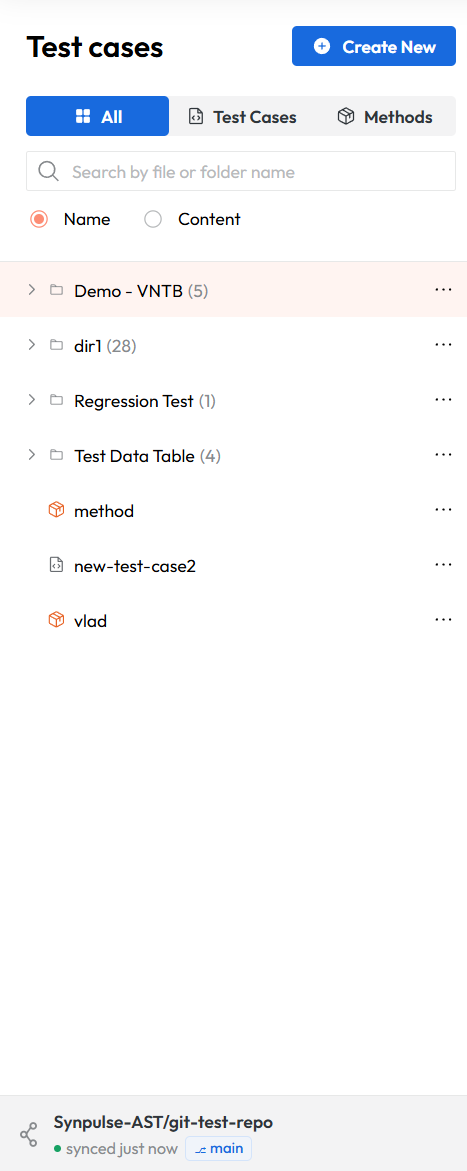
When the git integration is active, the configured branch serves as the single source of truth for the test case repository. The application's local state is synchronized from this branch.
Info
If you have existing test cases created in non-git mode, they will remain in the database but will not be displayed in the application. Only test cases present on the configured branch will be shown. If you disable the git integration later, the previously stored test cases will become visible again.
Testcase drafts
Every modification or creation of a test case will firstly create a draft. Drafts are user specific, meaning each user has their independent drafts. A draft of a testcase is a file stored on the disk that was not yet committed/pushed to the git repository. Drafts can be used in trial runs but cannot be scheduled for normal execution. You first need to commit/push the draft to the git repository.
Testcases that are a draft have an 'M' badge next to their name.

Committing/Pushing a testcase to git
When a testcase is a draft the user can choose between committing/pushing or discarding the draft. When the user opens a testcase in the bottom part, the 'Commit' and 'Discard' buttons are present.
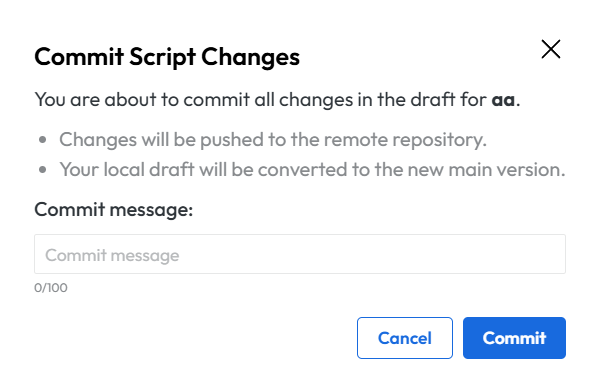
After clicking on the 'Commit' button a dialog is visible which enables you to add a commit message.
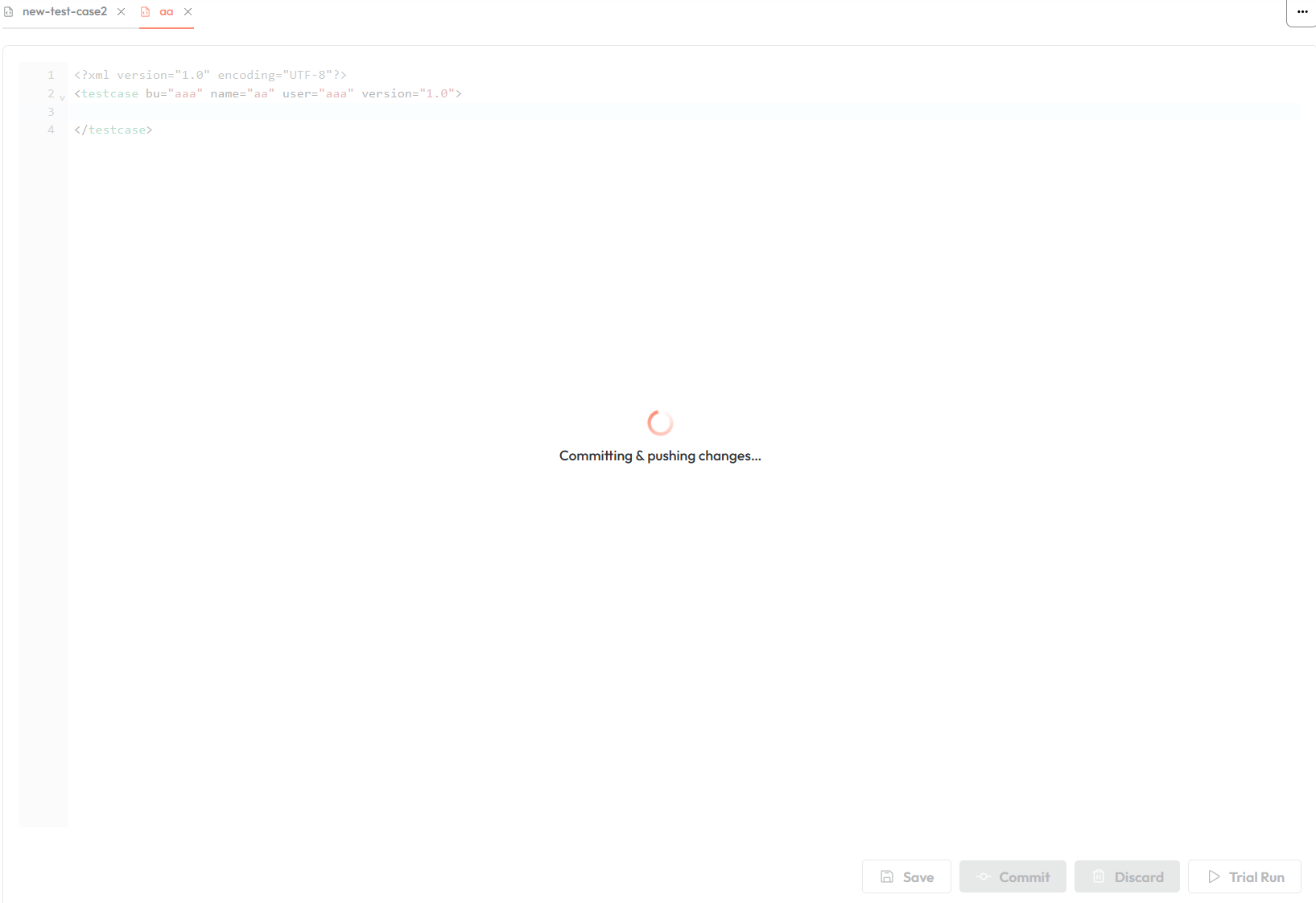
During a testcase commit and push the UI for that testcase is disabled as can be seen in the screenshot below, but the user can switch to other testcases seamlessly.
In git, the commit shows which AST user pushed the change.
Discarding a draft testcase deletes the user's draft and restores the testcase to the last committed version. For newly created testcases discard will remove the testcase entirely.
Constraints when using git integration
When using the app with the git profile active there are several constraints to take into consideration.
| Action | Via AST CP | Via Git |
|---|---|---|
| Create test case | Yes (as draft) | Yes |
| Create method | No | Yes |
| Create folder | No | Yes |
| Modify test case | Yes (creates draft) | Yes |
| Modify method | Yes (creates draft) | Yes |
| Modify folder | No | Yes |
| Delete any | No | Yes |
| Upload test data | Yes | No |
Changing testcases into methods and vice versa is not advised as the application may not correctly track the file type change. Instead, create a new file of the desired type and delete the original via git.
The cloned repository and user drafts are stored in dedicated folders inside the container. Without a persistent volume mounted to these folders, data is stored in the pod's ephemeral storage and will be lost on restart (the repository is re-cloned automatically, but uncommitted drafts will be lost).