Landing Page and Navigation
Landing Page
After successfully logging in, you will be directed to the landing page of the AST application. This page displays an overview of your testing activities and provides quick access to various sections of the application. The landing page is designed to give you a snapshot of your testing environment, including recent test cases, scheduled runs, and quick actions for common tasks.
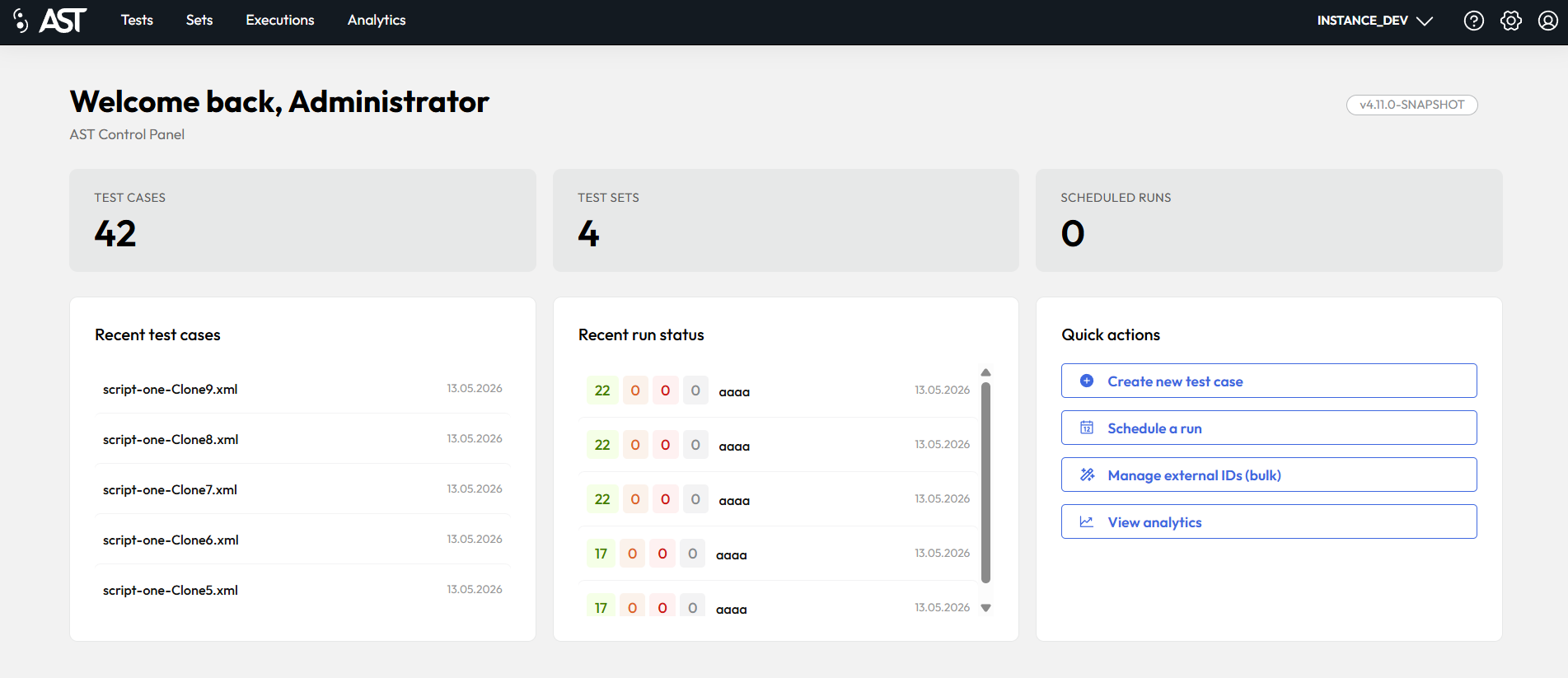
Short description of the sections on the landing page is provided in the table below:
| Menu | Description |
|---|---|
| Test Cases | Shows the total number of created testcases. |
| Test Sets | Shows the total number of created test sets. |
| Scheduled runs | Shows the number of scheduled executions on the current Avaloq environment. |
| Recent Test Cases | Displays the last 5 test cases modified by the currently logged-in user. Click on a test case to open. |
| Recent Run Status | Displays the last 5 executions started by the currently logged-in user on the current Avaloq environment with their status. Click on the execution to see more details. |
| Quick Actions | Quick links to Create a new test case, Scheduling execution, Manage exteral IDs (Xray, ALM) and Analytics |
Main navigation menu (Left side)
| Menu | Description |
|---|---|
 |
Navigates back to the main dashboard or landing page of the application. |
| Tests | Displays and manages individual test cases. This is the core repository for all tests. |
| Sets | Organizes multiple tests into logical groups or suites for streamlined execution. |
| Executions | Displays scheduled and finished executions. Provides execution details. |
| Analytics | Provides insights and reports on test execution results. |
Each tab navigates you to separate sections described in the table and in the following chapters in more detail.
Secondary navigation menu (Right side)
| Menu | Description |
|---|---|
| Instance Selection | Used to choose the environment or system under test. |
 |
Opens this documentation in a new tab. |
 |
Contains administrative settings for managing users, permissions, and system configurations. See Administration |
 |
Manages the current user's profile, settings, and login information. See Account Information |